Promo videos
with real footage,
from one sentence.
MaestroCut picks licensed stock clips that match each scene, or plays your own video, tones every clip to your brand colors and sets your words on top, cut to the beat.
- film styles
- 11
- film styles
- natural voice-over
- TR · EN
- natural voice-over
- every platform size
- 9:16 → 16:9
- every platform size
Films made with it
Swipe
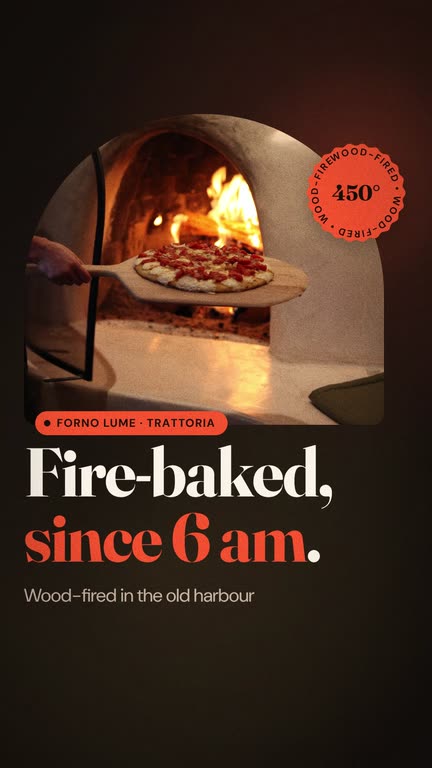
A stock footage promo video puts real moving pictures behind your message, so a hotel, a gym or a new menu looks alive without a shoot. MaestroCut finds licensed stock clips that match each scene's text, never repeats a clip within a film, tones every clip to your brand colors (or black-and-white, or untouched), dims it so the text stays readable and adds a gentle camera move. You can also upload your own MP4 or WebM of up to 60 seconds.
How it works
- 01
Describe it
One or two sentences about what you promote. The director writes the script and plans the scenes.
- 02
Add footage
One click finds a matching clip for each suitable scene, with no repeats; or search the library, or upload your own MP4 or WebM.
- 03
Tune and export
Pick a brand, black-and-white or untouched look, set the dimming, camera move and focus point, then export a 1080p MP4.
Footage at a glance
What the studio offers today.
| Sources | A licensed stock video library, or your own upload |
|---|---|
| Your own video | MP4 or WebM, up to 60 seconds and 60 MB |
| License | Stock clips allow commercial use without attribution; each clip is stored with your project and its source is recorded |
| Matching | Search words are written from each scene's text; no clip repeats within a film |
| Automatic scenes | Openings, statements, lists, steps, quotes and media scenes; add or remove a clip on any scene |
| Color | Brand tint from your palette, black-and-white with your accent color, or untouched |
| Legibility | Adjustable dimming under the text |
| Motion | A slow push, a drift, or none |
| Vertical crops | Vertical clips are preferred for 9:16; a focus point keeps the subject in frame |
Source: MaestroCut studio (2026-10)
Three looks for every clip
Stock footage should look like part of your film, not like someone else's.
Brand
The clip is toned with your theme colors, so every shot shares your palette.
Black-and-white
A monochrome clip with your accent color: calm, editorial and on brand.
Untouched
The clip's own colors, still dimmed under the text so it stays readable.
Frequently asked questions
Are the stock clips licensed for commercial use?
+
Yes. Clips come from a licensed stock library whose license allows commercial use without attribution. Each clip is stored with your project and its source is recorded.
Can I use my own video?
+
Yes. Upload an MP4 or WebM of up to 60 seconds and 60 MB; it plays behind the scene you choose, with the same color, dimming, motion and focus controls.
Will the same clip appear twice?
+
No. When the studio picks clips for a whole film, every scene gets a different clip.
Does footage work in vertical 9:16 videos?
+
Yes. Vertical clips are preferred for 9:16 films; a horizontal clip is cropped around its focus point, which you can move.
Is the text still readable over video?
+
Yes. Each clip is dimmed under the text, by as much as you choose, and the text keeps its reading-time rule and safe-zone placement.
What does it cost?
+
Previews and edits are free; credits are spent when you export, per second of video. A 30-second HD export costs 30 credits, and you get 60 free credits on sign-up.
Keep exploring
Industry playbooks
Platform sizes
Guides
Make a promo video with real footage
Describe it in a sentence; matching clips, your colors and the music are ready to edit.